
Turn recommendations into real action.
UpAction helps specialists organise their clients’ and students’ practical work between consultations, lessons and meetings — with clear actions and visible client activity.
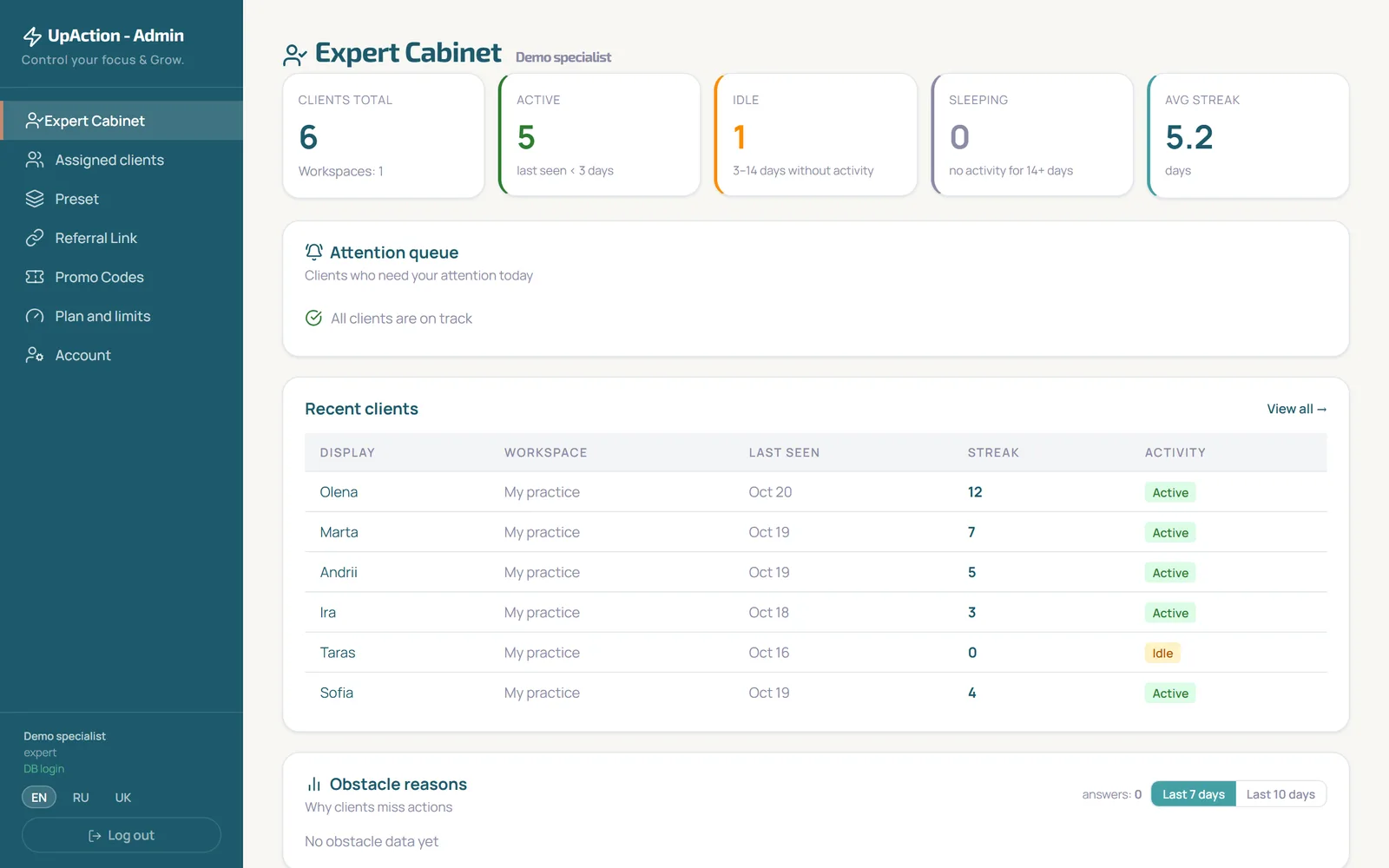
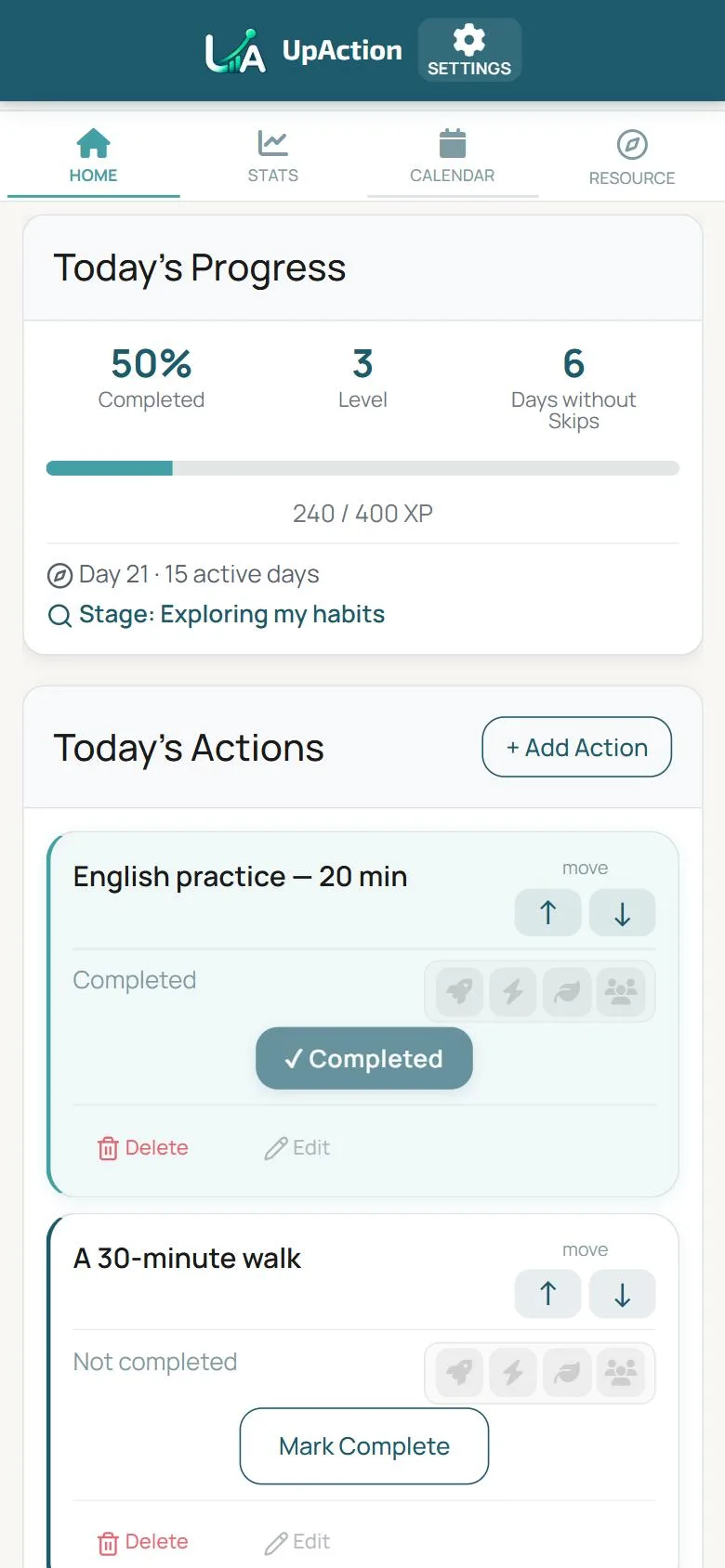
After the session, clients are left alone with the advice.
Recommendations vanish into chats.
Important steps get lost among messages.
Progress is hard to see.
At the next meeting you have to reconstruct what was actually done.
Follow-up takes time.
Repeating explanations pulls attention away from the real work.
UpAction moves practical actions into one clear workflow.
Between your recommendation and the result there is an action.
- Set of actions from the specialist
- Client does them
- Client marks them
- Specialist sees the activity
Clear what to do.
Concrete steps instead of a vague “work on yourself”.
Activity at a glance.
Streaks, last visit and the reasons for skipped actions give you real material for the next meeting.
An easier process.
Fewer scattered lists and chats about what was completed.
The specialist does their work. The client has clear actions.
On the specialist’s side
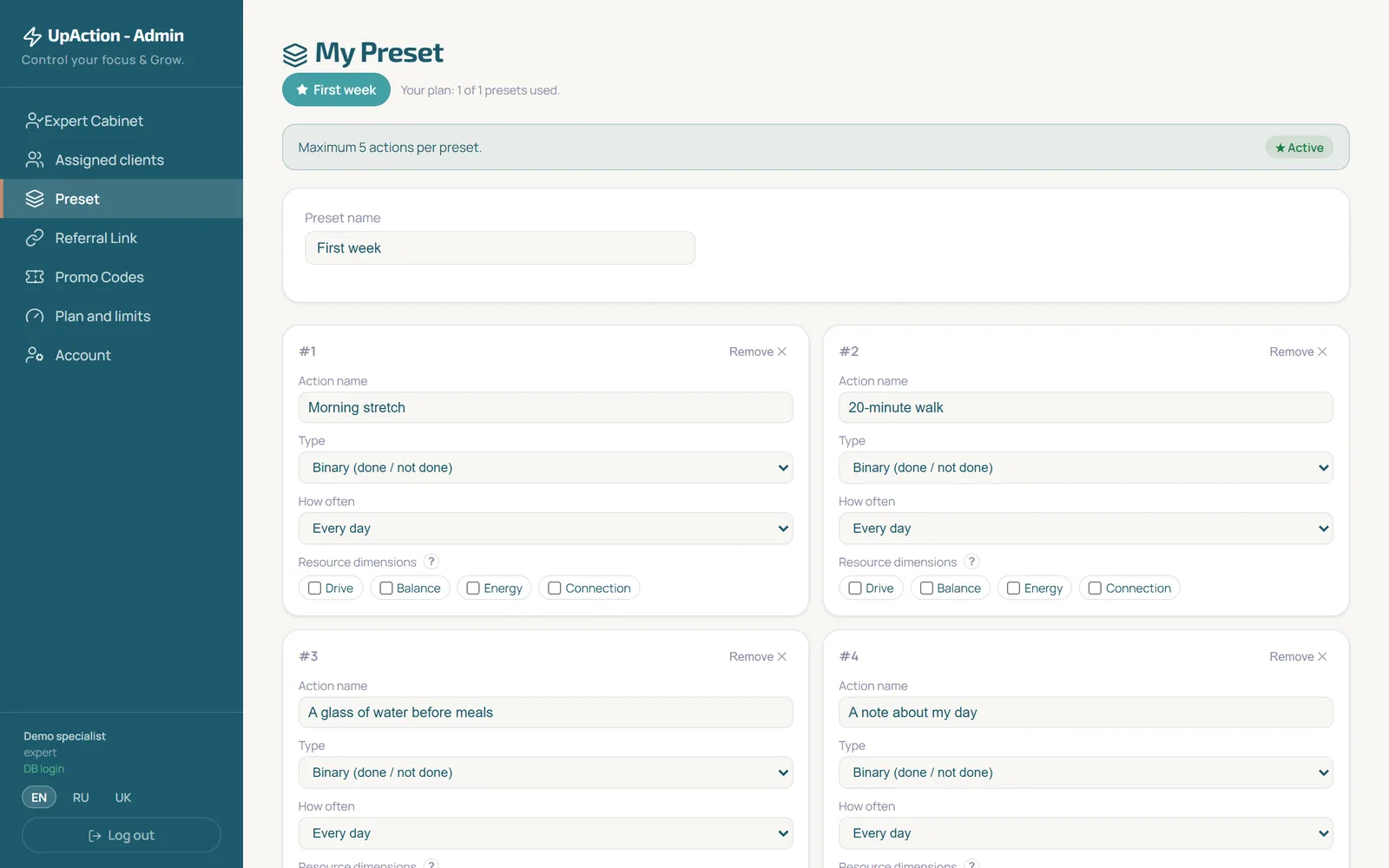
- Prepare a set of actions for your clients
- Send the client your invitation link
- See your clients, their streaks and activity in the cabinet
On the client’s side
- Opens your link and signs in to the app
- Sees their actions and marks what is done
- Follows their own progress
Fits any work where actions between meetings matter.
- Take the agreed step toward the goal
- Review the week
- Do the agreed exercise between sessions
- Note your observations
- Build the nutrition advice into an ordinary day
- Mark recurring actions
- Complete a step of the agreed plan
- Prepare conclusions for the meeting
- Review the material
- Practise before the lesson
- Do the tasks between lessons
- Reinforce the material in small steps
Practice at hand. Without the clutter.
Invitation link
One link to connect a client — in the browser or through Telegram.
Set of actions
A ready-made set the client receives when connecting.
Specialist cabinet
Clients, their streaks, activity and your notes in one place.
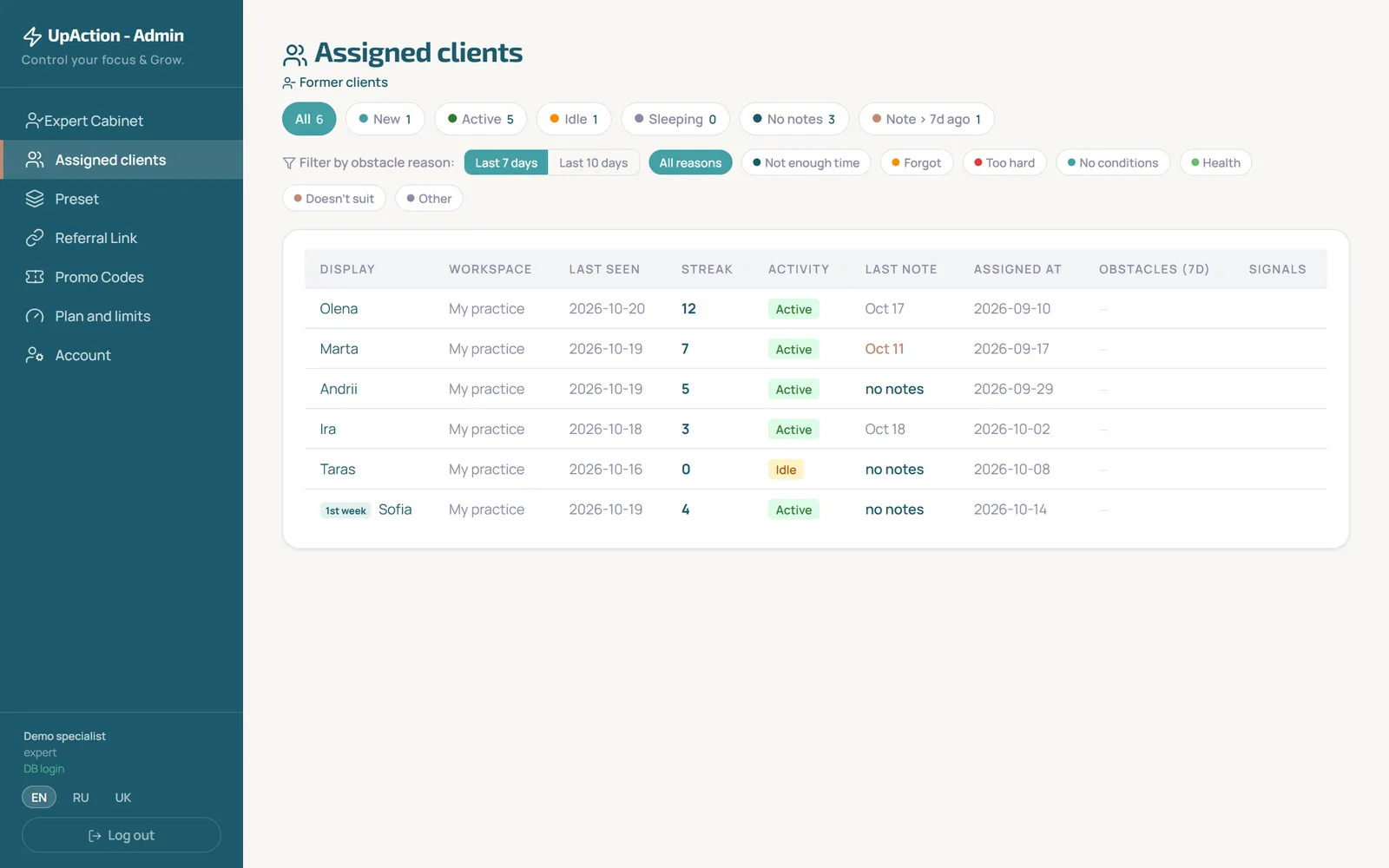
Clients do not have to learn a complex system.
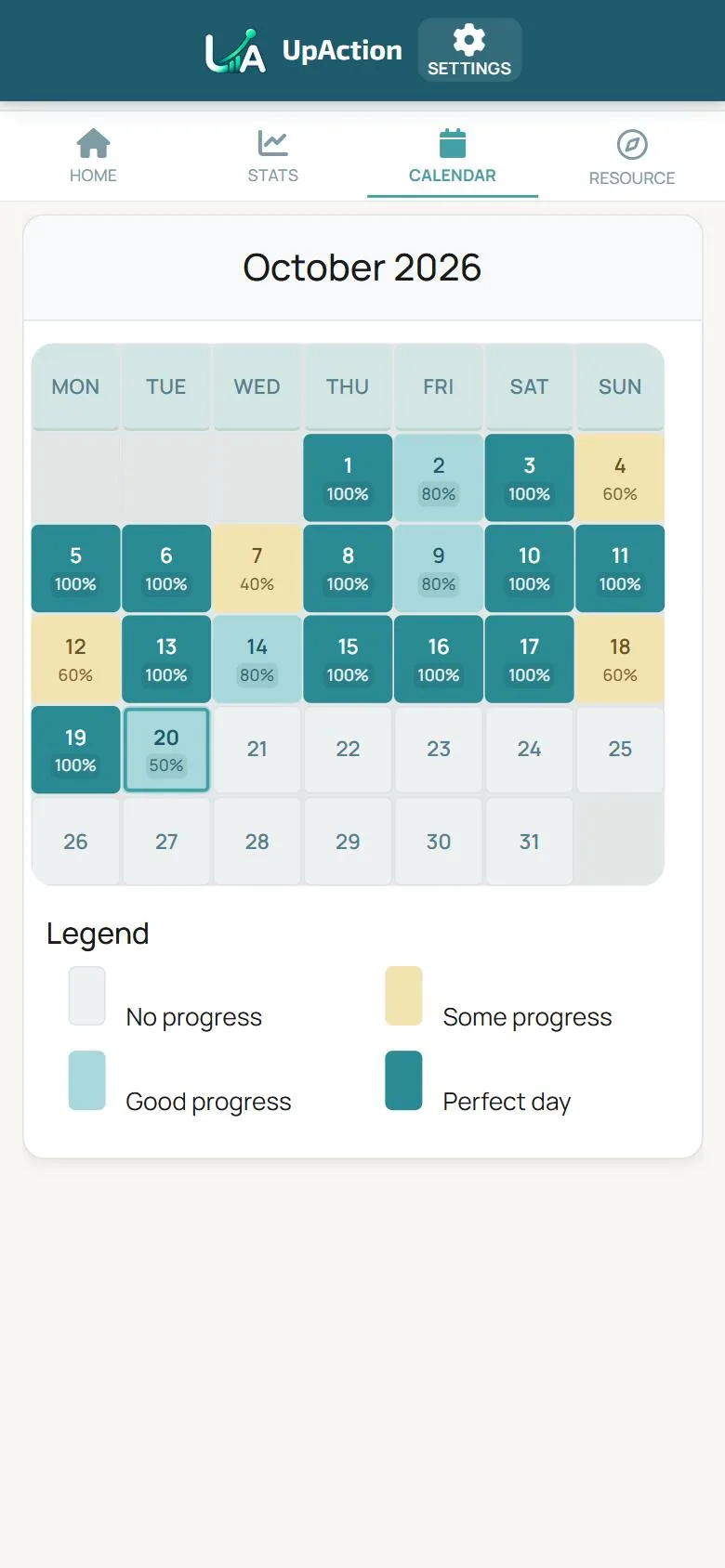
They see their actions, mark what is done and follow their progress in a familiar mobile format.
Start using UpAction in your practice.
Register as a specialist
Leave your e-mail: we send a personal registration link (valid for 3 days).
Prepare the actions
Put together a set for your clients.
Invite a client
Send your link.
Follow the activity
Return to it at the next meeting.
The short version
How does a client connect to a specialist?
You send the invitation link from your cabinet. The client opens it and signs in to the app with an e-mail code or through Telegram.
Does the client need Telegram?
Not necessarily. UpAction works in the browser and as an app on the phone’s home screen. There is also a separate app that signs you in inside Telegram.